The engine behind every approval, review and escalation, without writing code.
Every lifecycle in Blueprint+ runs on the same workflow engine. Define a process on a visual canvas, set who can act at each step, add an escalation matrix, test it, and watch every run in the execution log.
Processes that live in people's heads
The approval path exists, but only as habit. When the person who knows it is on leave, the process stops.
Workflows that need developers
Tools that can automate approvals usually need engineering to change a step. Compliance waits in the backlog.
No execution record
Which approvals are overdue, where they are stuck and for how long is a question answered by asking around.
Design the process on a canvas, not in a ticket
Add steps, assign roles, set access per step, define deadlines and the escalation matrix. Describe the process in a sentence and Magpie AI generates a starting workflow to edit. The test runner walks the workflow with sample data before it goes live.
- Approvals, reviews, escalations, parallel and conditional steps
- Access control per step, by role
- Test runner and execution log on every workflow
Fields
Short textLong textChoiceDateFile uploadPersonIncident report form
Properties
Collect the data each step needs, in a form built the same way
Workflows collect information through forms designed in a three-panel builder: a field palette, the form, and the properties of the selected field. Choice fields draw from org-wide Masters so the options stay consistent, and Magpie AI can generate the fields from a description of what the step needs.
- AI-assisted field generation
- Choices sourced from admin-managed Masters
- Per-field visibility by role
Everyone sees only their work; you see all of it
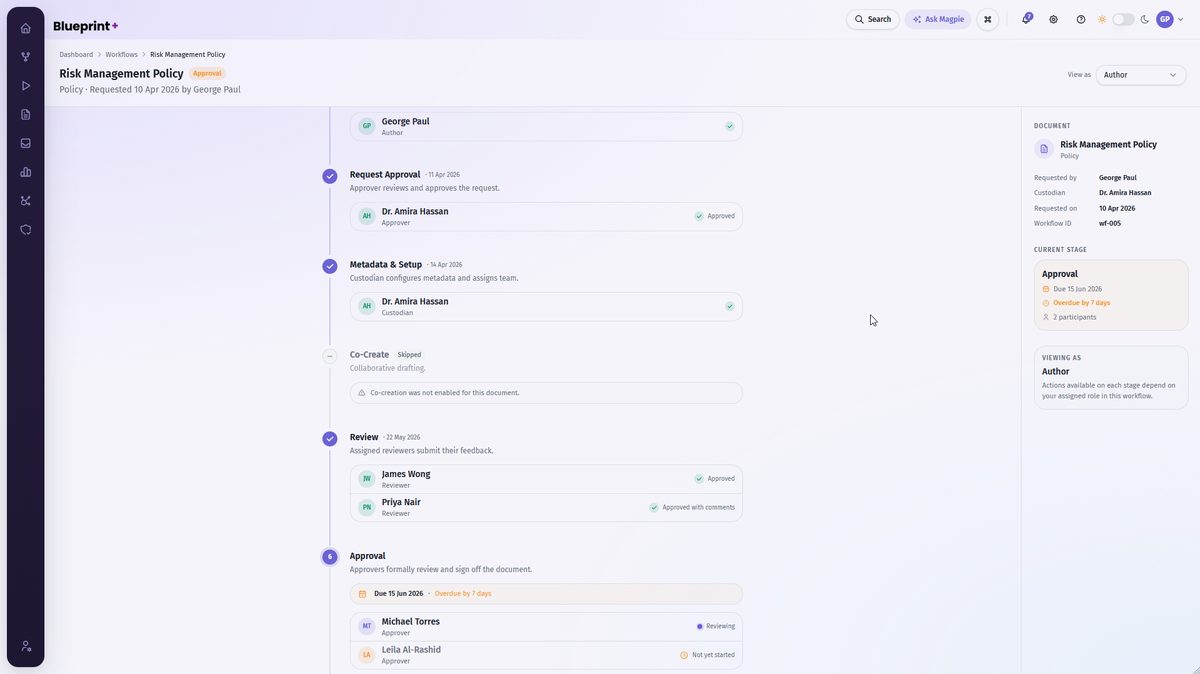
Task inboxes are role-specific: authors see their requests, managers see what to delegate, assessors see assessment tasks. Execution History shows every workflow run across the platform, searchable by status and timing, so "what is stuck and where" is a filter, not a meeting.
- Role-specific task queues
- Execution history across every process
- Overdue flags, reminders and escalations recorded
One engine, every lifecycle.
The same builder runs policy approvals, procedure publishing, register changes, RCSA stages, incident escalations and anything else you design.
Policies
Draft, review, approve, board, publish.
Registers
Proposed changes to risks and controls go through review before they are published.
RCSA
Scope, respond, review, report, with reminders to the business.
Your processes
Exception approvals, incident handling, vendor onboarding, whatever needs a defined path and a record.
Turn the process in people's heads into one that runs itself.
The trial includes the standard policy approval workflow, ready to edit on the canvas.